
OSHA Recordkeeping Training
45 Minutes
COURSE DESCRIPTION
This objective of this course is to provide both employees and employers with information on how to properly complete the incident reports, OSHA forms and OSHA Recordkeeping information they will need to complete to remain in compliance with the Recordkeeping Standard. Employers and employees who understand why this data is necessary and how it is used are better equipped to utilize the information to reduce workplace injuries and illnesses.
COURSE OUTLINE
- Welcome
- Training Objectives
- Introduction
- What is OSHA Recordkeeping?
- Effect of Workers’ Compensation on OSHA Records
- Partial Exemptions
- OSHA Forms
- OSHA 301 Incident Report Requirements
- OSHA 301 Incident Report Recording Criteria
- Determination of Work-Relatedness
- Exceptions to Recording Requirements
- Pre-Existing Conditions
- Work-Related Travel Status
- Working Remote
- Medical Treatment Versus First Aid
- Completing the OSHA 300 Log
- Old Cases
- OSHA 300A Summary
- Electronic Reporting
- Summary
LEARN HOW OUR COURSE LIBRARY CAN FIT INTO YOUR WORKPLACE
Related Courses
More Courses You May Be Interested In
Our goal is to develop general awareness courses that create an interesting and interactive learning experience. Each course uses images, video, text and audio for full comprehension. All of our courses are designed by professionals with the ultimate goal of helping employees develop the knowledge they need to work safely.
 Access to Employee Exposure and Medical Records
This program is focused to implement that employees are afforded certain rights under the umbrella of the OSHA regulation to have access to their workplace medical and exposure records. Employers...
Learn More → Basic First Aid Training
This presentation is a two-part series that will emphasize the importance of providing effective first aid in case of injury of illness to a person at work. This course is...
Learn More → Accident Investigation
This program is focused to show accident investigations serve multiple purposes and are a vital part of any loss control program. The major reason to conduct an investigation is to...
Learn More → HIPAA Awareness Training
This course will cover the basic elements of the standards for Privacy of Individually Identifiable Health Information. The U.S. Department of Health and Human Services, known as HHS, issued the...
Learn More →Solutions
What Solutions Do We Offer?
The eSafety platform delivers scalable safety training solutions for organizations of any size. Built by experts in safety and regulatory compliance, our powerful Learning Management System (LMS), comprehensive training content library, and Contractor Management System (CMS) tools make it easy to meet compliance requirements. With intuitive features designed for efficiency, eSafety helps keep everyone informed, compliant, and safe.
TRAINING
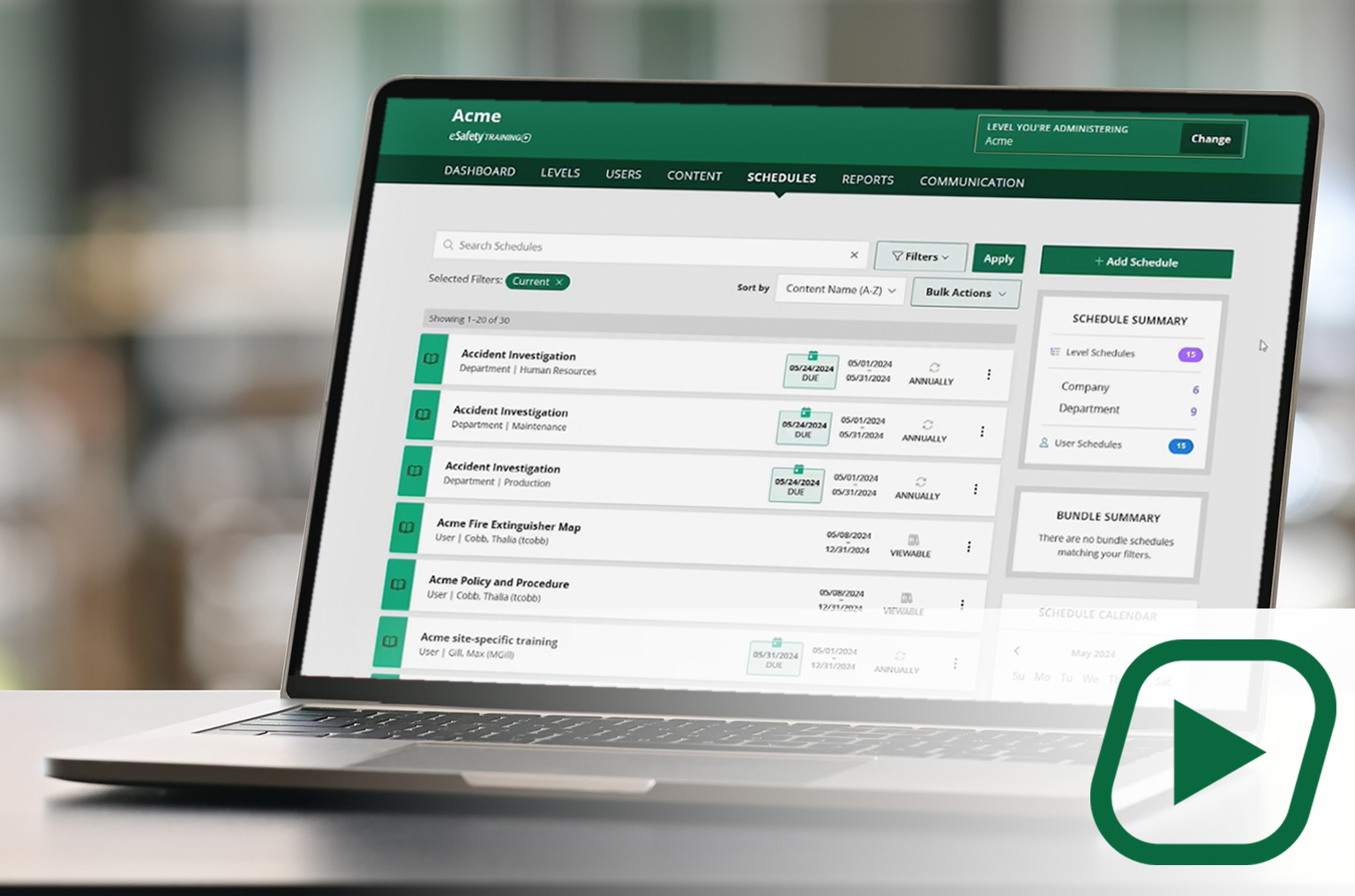
Our cornerstone learning management system (LMS) delivers a full library of compliant training content with intuitive features and capabilities to assign, track, and report on employee training.
✓Full content library
✓Schedule and manage training
✓Generate reports
CONTENT
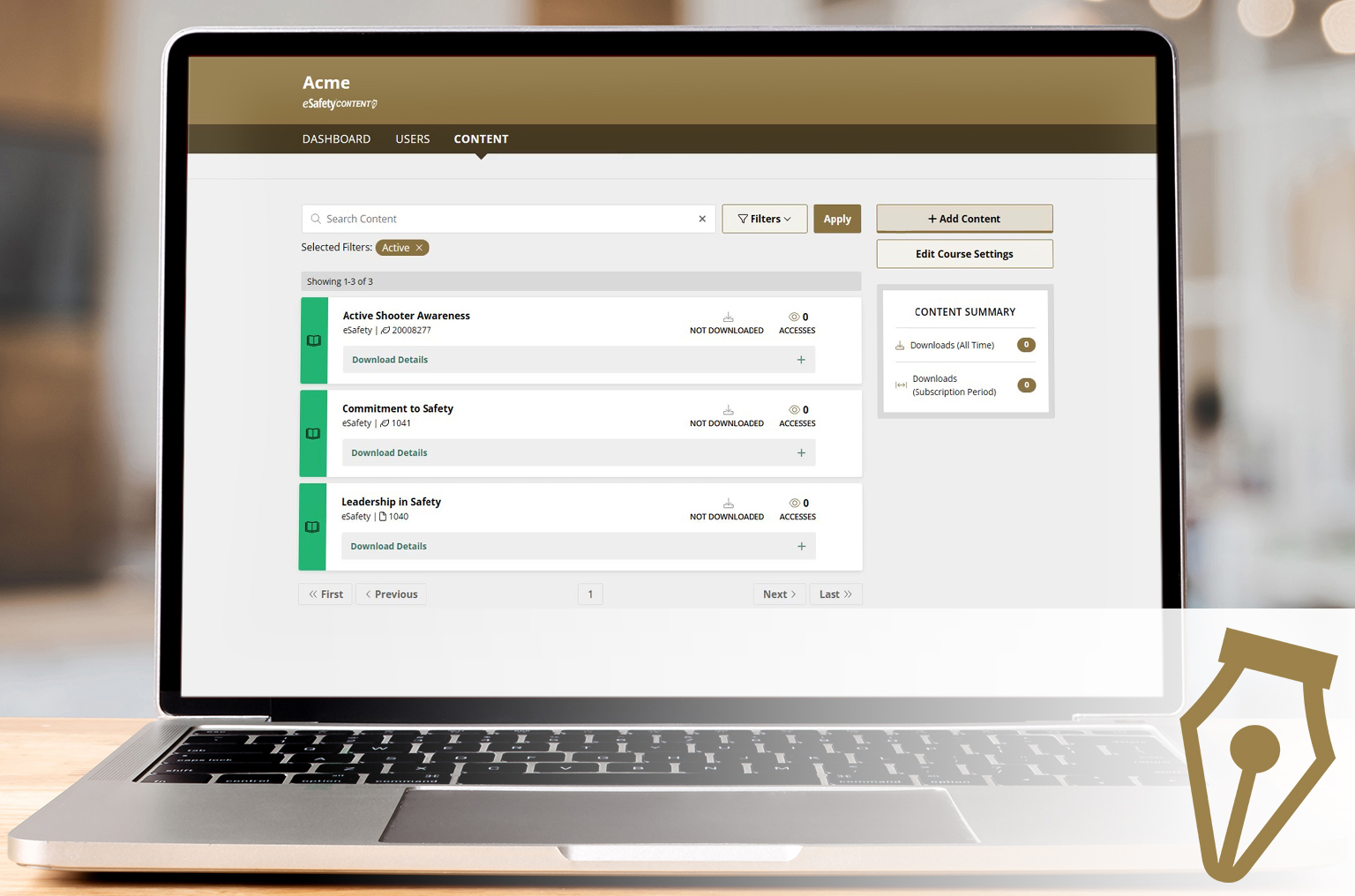
A portal to select and download our content (courses) to be added to another LMS. A client gets a SCORM file to upload into the LMS they use. With an active key, course updates are automatic.
✓Select your course package
✓Download ready-made courses
✓ Receive automatic updates